color printing: balance

another caution regarding forum advice.
a question arose– wondering what adjustment to make to remove color from borders!
a dozen experts later, no one has told him that the border should be base emulsion color… close to white for most color emulsions, or to black for reversal emulsion.
a color tone is fog… don’t balance for fog… change process method.

fog:
emulsion age. darkroom unsafe(light). chemical contamination. chemical activity.. mix, or temperature error.

stop futzing with balance until you’re in control of those other factors.
how long is change

how long does a new media remain new; until it changes, or is replaced. Can it change itself, replace itself? In what manner is this realized — a part of its search for awareness, or perfection?

Tricolor: Phillips PCS

brief worknotes

Using: PCS 150

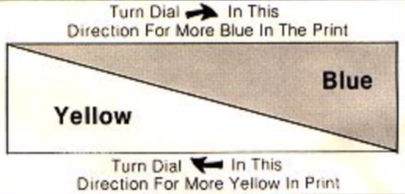
change filtration without changing your exposure setting

10 units on all 3 dials is 1/3 f/stop.

If the enlarger is too bright and printing time too short, simply adjust the three color channel control dials. For each 30 you add to ALL 3 control dials, the overall exposure will be reduced by on f/stop.

built-in timer is calibrated from 5 to 40 seconds duration of exposure

Function switch:

Stand by: lights source is turned off; color dial illumination is reduced. ready for exposure, by pushing Start Button.

Adjust: light emitted corresponds with values set on channel dials. useful with color analyzer.

Focus : all 3 color channels give maximum light output for easier focusing

additive printing color modification

Manual —